10 Contractor Apps You Should Try in 2026
Contents
- 1 10 Contractor Apps You Should Try in 2026
- 1.1 1. Construction Project Management Apps
- 1.2 2. Construction Estimating Apps
- 1.3 3. Time Tracking Apps
- 1.4 4. Scheduling Apps
- 1.5 5. Communication Apps
- 1.6 6. Digital Document Management Apps
- 1.7 7. Construction Photo Documentation Apps
- 1.8 8. Invoicing and Payment Apps
- 1.9 9. Safety Management Apps
- 1.10 10. Equipment Rental and Management Apps
- 2 How Contractor Apps Can Improve Your Business
- 3 How to Choose the Right Contractor Apps
- 4 Technology and Modern Construction
- 5 Final Thoughts
- 6 FAQs
Contractor Apps Managing construction projects involves much more than completing work on-site. Contractors also need to manage schedules, teams, documents, clients, materials, estimates, and communication.
Fortunately, the right digital tools can make these tasks easier. Contractor apps help construction professionals organize projects, communicate with teams, track progress, and manage important business activities from a smartphone or computer.
Whether you work on small construction projects or large commercial developments, the right app can help improve your daily workflow.
Here are 10 types of contractor apps worth considering.
1. Construction Project Management Apps
Project management apps help contractors organize tasks, deadlines, teams, and project progress in one place.
You can use these apps to:
- Create project tasks
- Assign work to team members
- Track deadlines
- Monitor progress
- Organize project information
As a result, contractors can manage projects more efficiently and reduce the need for scattered paperwork.
2. Construction Estimating Apps
Accurate estimates play an important role in construction projects.
Estimating apps can help contractors calculate:
- Materials
- Labor
- Equipment
- Project costs
- Profit margins
In addition, digital estimates can make it easier to update pricing when project requirements change.
3. Time Tracking Apps
Tracking employee and project hours can be difficult when using paper records.
Time tracking apps help contractors record:
- Working hours
- Overtime
- Project time
- Employee attendance
Therefore, these tools can help improve payroll management and provide better information about project labor costs.
4. Scheduling Apps
Construction projects often involve multiple workers, subcontractors, deliveries, and deadlines.
Scheduling apps can help contractors organize:
- Project timelines
- Team schedules
- Equipment bookings
- Site visits
- Important deadlines
Furthermore, a clear schedule can help reduce confusion between teams and improve project coordination.
5. Communication Apps
Good communication is essential for construction projects.
Communication apps allow contractors, clients, employees, and subcontractors to share information quickly.
Teams can use them to:
- Send messages
- Share project updates
- Exchange photos
- Discuss problems
- Coordinate work
As a result, teams can respond to project changes more quickly.
6. Digital Document Management Apps
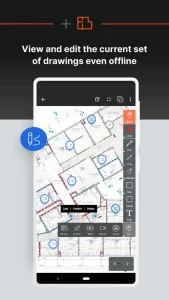
Construction projects often involve many important documents.
These may include:
- Contracts
- Plans
- Invoices
- Safety documents
- Project reports
- Inspection records
Document management apps help contractors store and access important files from different locations.
This can make it easier to find information when it is needed.
7. Construction Photo Documentation Apps
Photos can provide useful records of project progress.
Contractors can use photo documentation apps to record:
- Completed work
- Site conditions
- Construction progress
- Defects
- Equipment conditions
For example, project photos can help teams compare progress over time and provide useful documentation for clients.
8. Invoicing and Payment Apps
Managing invoices is an important part of running a contracting business.
Invoicing apps can help contractors:
- Create invoices
- Send payment requests
- Track outstanding payments
- Organize financial records
Therefore, digital invoicing can help contractors manage payments more efficiently.
9. Safety Management Apps
Safety apps can help contractors manage:
- Safety inspections
- Incident reports
- Checklists
- Training records
- Site observations
In addition, digital safety records can help teams organize important information and identify recurring issues.
10. Equipment Rental and Management Apps
Contractors often need access to equipment for specific projects.
Equipment-related apps can help teams organize:
- Equipment requirements
- Rental periods
- Delivery schedules
- Equipment availability
- Project machinery
For example, contractors may need access equipment such as:
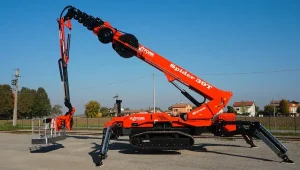
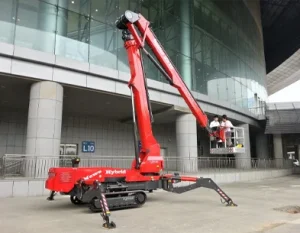
- Spider lifts
- Scissor lifts
- Boom lifts
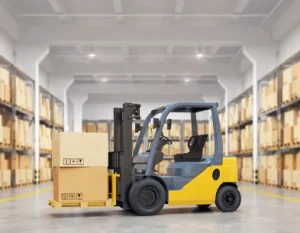
- Forklifts
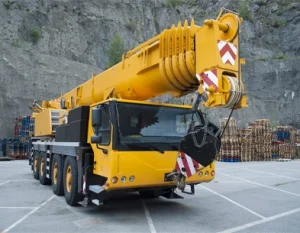
- Spider cranes
Choosing the right equipment at the right time can help keep projects moving efficiently.
How Contractor Apps Can Improve Your Business
The right digital tools can help contractors improve several areas of their business.
Better Organization
Apps can keep project information in one central location.
Improved Communication
Teams can share updates and information more quickly.
Less Paperwork
Digital tools can reduce the need for manual records.
Better Time Management
Scheduling and time tracking tools can help teams manage project hours and deadlines.
Improved Project Visibility
Contractors can monitor project progress more easily.
How to Choose the Right Contractor Apps
Before choosing an app, consider your business needs.
Ask yourself:
What Problem Do You Need to Solve?
Choose an app based on a specific business challenge. For example, you may need better scheduling, estimating, or communication.
Is the App Easy to Use?
A complicated app may not be useful if your team finds it difficult to use.
Can Your Team Access It Easily?
Consider whether the app works on the devices your team already uses.
Can It Grow With Your Business?
Choose tools that can continue to support your business as your projects and team grow.
Technology and Modern Construction
Technology continues to change the way contractors manage their projects.
From scheduling and estimating to communication and equipment management, digital tools can help construction professionals work more efficiently.
However, apps should support your existing workflow rather than make it more complicated. Therefore, choose tools that solve real problems and are easy for your team to use.
Final Thoughts
The right contractor apps can help improve project organization, communication, scheduling, documentation, and business management.
Before choosing an app, identify the biggest challenges in your current workflow. Then, select tools that help solve those problems without creating unnecessary complexity.
For contractors working on construction and industrial projects, digital organization can make it easier to manage teams, equipment, deadlines, and project requirements.
FAQs
What are contractor apps used for?
Contractor apps help professionals manage construction projects, estimates, schedules, communication, documents, time tracking, safety, and equipment.
Which apps are most useful for contractors?
The most useful apps depend on your business needs. Project management, estimating, scheduling, communication, and document management apps are popular choices.
Can small contractors use construction apps?
Yes. Small contractors can use simple apps to manage projects, schedules, clients, invoices, and team communication.
Are contractor apps useful for construction companies?
Yes. Contractor apps can help construction companies organize workflows, improve communication, and track project information.
How should I choose a contractor app?
Choose an app based on your specific business needs, ease of use, team requirements, features, and ability to grow with your business.